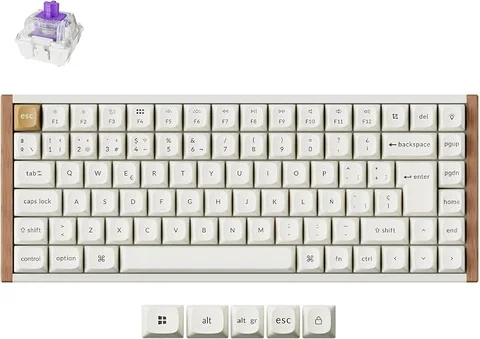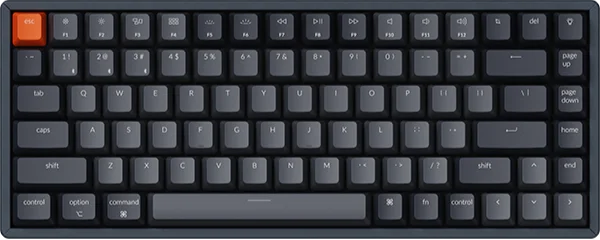
Choose the classic Keychron K2 Version 2 if you want its compact layout and straightforward Bluetooth or wired use. Choose a suitable K2 Pro configuration if programmable keymaps and deeper customization are the reason you are shopping. First identify the exact version: K2, K2 Pro, K2 Max, and K2 HE are not interchangeable names.
Our collection now features the Keychron K2 HE Special Edition, a separate magnetic-switch model with 2.4 GHz wireless and adjustable actuation. The comparison below remains about the classic K2 Version 2 and K2 Pro; their switch compatibility and connection options should not be applied to the HE.
Compare configurations, not just family names
| Decision | Classic K2 Version 2 | K2 Pro |
|---|---|---|
| Layout | Compact 75% family | Compact 75% family |
| Connectivity | Bluetooth and USB wired | Bluetooth and USB wired |
| Keymap programming | Classic model’s functions | QMK and supported configuration tools |
| Hot-swappable switches | Available on specific versions | Check the selected configuration |
| Purchase details | Layout, switch, frame, and backlight | Also distinguish assembled and barebone kits |
Keychron’s model chart, K2 Version 2 page, and K2 Pro page show the options. A feature listed for one variant should not be assigned to every keyboard carrying that family name.
Remapping is the clearest Pro reason
If you want a custom navigation layer, application macros, or a layout adapted to your own shortcuts, K2 Pro’s programming support is a concrete advantage to investigate. Begin with the keys you want to change and check the supported configuration workflow.
If the standard layout already works, remapping may not justify replacing a functioning K2. A familiar board can be the better purchase when all you need is reliable access to its existing keys. Extra customization is a benefit only when you have something to customize.
Check whether configuring the keyboard requires a wired connection and a supported browser. Keychron’s current Pro instructions describe its Launcher workflow; do not assume that every older tutorial’s VIA steps still describe the current setup exactly.
Hot-swap is a listing detail
Both product families have been sold in different configurations. Some pages describe optional hot-swap versions or exceptions for assembled models. Before ordering, confirm the selected SKU’s socket support rather than relying on a review of a different configuration.
If changing switches matters, also identify compatible switch types. Mechanical MX-style sockets are not a promise of compatibility with low-profile or magnetic switches. For a barebone kit, add the cost of switches and keycaps before comparing the price with a ready-to-use board.
Choose the layout you need as carefully as the switch. ANSI and ISO versions, regional legends, and the number of keys can differ. A cheaper configuration is not better value if its physical layout is wrong for your typing routine.
A Pro upgrade will not fix every typing problem
If your complaint is the height of the keyboard, changing from K2 to another standard-height board may leave the main problem intact. Compare low-profile and normal-profile mechanical keyboards instead.
If your priority is competitive wireless gaming, inspect polling and latency evidence for the exact model and connection. The word Pro does not imply a particular radio or measured response time. This guide is about typing and customization, not a latency test.
Frequently asked questions
Is every K2 hot-swappable?
No such assumption is safe. Confirm the chosen version and SKU, including any manufacturer exceptions.
Does K2 Pro mean K2 HE?
No. They are different product lines. Magnetic-switch behavior should not be described as a feature of a regular K2 Pro.
Is Pro worth upgrading from a working K2?
Yes if its programmable layout or a verified configuration solves your problem. Otherwise, keeping the board you already like is a sensible option.