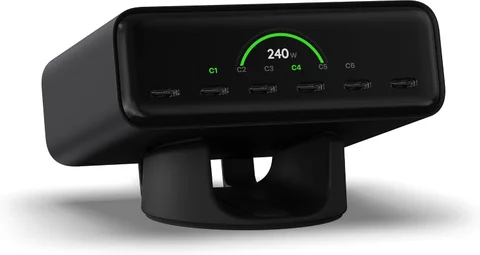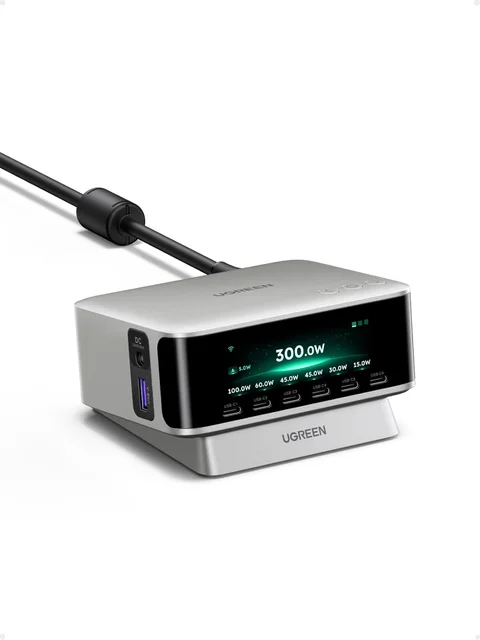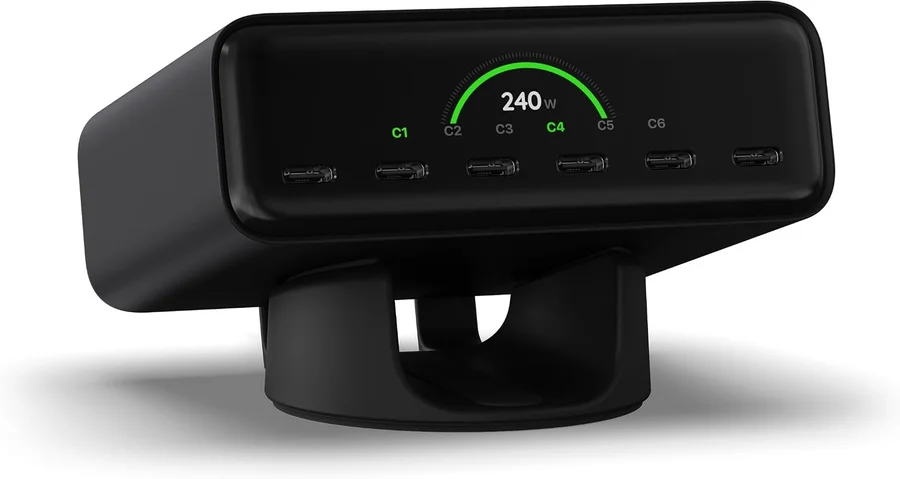
Choose Satechi ChargeView 240W if your desk is built around USB-C devices and its published power allocations fit them. Choose UGREEN Nexode Pro 300W if you need its broader connection mix or a higher total budget. The larger wattage is not automatically the better purchase: the devices and ports used together determine the result.
This guide covers the current display-equipped ChargeView and Nexode Pro. Check the exact UGREEN model; an older 300W charger with a different port arrangement is not interchangeable.
Ports and power budgets
| Decision | Satechi ChargeView 240W | UGREEN Nexode Pro 300W |
|---|---|---|
| Advertised total output | Up to 240 W | Up to 300 W |
| Connection arrangement | Six USB-C ports | Six USB-C, one USB-A, and one DC |
| Display | Per-port charging information | Charging-status display |
| High-power ports | Check C1/C2 and shared allocations | Three USB-C ports advertised for up to 140 W individually |
| Main buying question | Does an all-USB-C arrangement fit? | Will the extra types and budget be used? |
Satechi’s allocation documentation and UGREEN’s Nexode Pro specifications are the reference points. Individual port maxima do not mean all ports can provide those maxima simultaneously.
Write down the devices that charge together
Make a list of the laptop, phone, tablet, headphones, and other devices normally connected at the same time. Note each device’s supported charging input and whether it needs USB-C, USB-A, or a particular DC connection.
Then find the manufacturer’s distribution for that combination. Satechi documents up to 140 W for C1 or C2 individually, up to 100 W for C3 or C4 individually, and up to 30 W for C5 or C6 individually. Connecting additional devices changes the available allocation within the total budget.
That means a laptop’s preferred port matters. Moving it to a different connector can change its available maximum even though the charger’s name and total wattage are unchanged. Labeling the everyday cables can make a multi-device desk simpler to use.
A 300W charger cannot force a laptop to take 300W
USB-C charging negotiates a supported power level. The charger, device, and cable must support the required mode. A device designed to draw less will not become a higher-power device because the supply has a larger aggregate budget.
Check the cable’s power rating and the device’s charging specification, particularly when shopping for high-power USB-C operation. If you use a DC output, match the intended equipment’s requirements and the manufacturer’s supported setup. A DC connector should not be treated as a universal laptop adapter.
For a laptop that uses more power while working than its current connection supplies, a larger suitable charger can help. But compare the negotiated power for that laptop’s port, not just the largest number printed on the box.
When each station is the sensible choice
ChargeView is attractive when six USB-C connections cover the desk and its allocations suit your simultaneous load. Nexode Pro deserves consideration when USB-A or supported DC equipment is still part of the setup, or when its available allocations solve a heavier combined demand.
If you charge one laptop and one phone, compare a smaller charger too. A desktop station earns its space when it consolidates a real collection of devices, not merely because several ports look tidy. Include cable costs and the supplied regional mains lead when comparing checkout prices.
Frequently asked questions
Can every port deliver the headline wattage?
No. Headline wattage is a total budget. Port-specific and multi-port allocations limit what each connection can provide.
Will either make my phone charge faster?
Only if the phone, cable, and selected port support an appropriate charging mode. Extra unused total capacity does not itself increase speed.
Which runs cooler?
This guide has no thermal measurements at a matched load. Do not infer temperature or efficiency from total wattage alone.
Browse the Workspace collection for both stations.