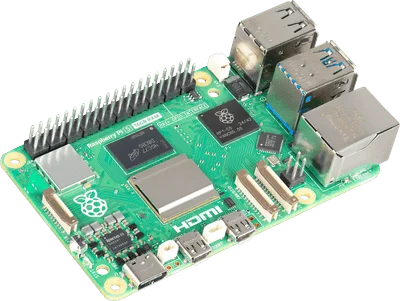
Choose Raspberry Pi 5 when your project follows a documented Raspberry Pi software or accessory path. Consider Orange Pi 5 Plus when its particular networking and storage connections solve a requirement you can name. Do not choose the latter solely because an eight-core processor sounds automatically better than a four-core one.
This comparison is specifically about Orange Pi 5 Plus, not the original Orange Pi 5, 5 Pro, or 5 Max. Their similar names conceal different boards.
Hardware differences worth investigating
| Decision | Raspberry Pi 5 | Orange Pi 5 Plus |
|---|---|---|
| Processor family | Broadcom Arm Cortex-A76 platform | Rockchip RK3588 with mixed Arm cores |
| Wired networking | Gigabit Ethernet | Two 2.5 GbE ports |
| NVMe route | External PCIe connection and suitable adapter | On-board M.2 slot for supported SSDs |
| Wireless | On-board Wi-Fi and Bluetooth | Check additional module requirements |
| Software starting point | Raspberry Pi OS and documented alternatives | Board-specific image and kernel selection |
The basis is the Pi 5 product documentation and Orange Pi 5 Plus hardware wiki. Check connector specifications and module compatibility before ordering accessories.
Networking can be a real reason to choose Plus
If you want two wired network connections or your existing equipment supports 2.5 GbE, the Plus gives you a concrete feature to evaluate. Start by drawing the intended network: which device connects to each port, what the switch supports, and where traffic will go.
Extra ports are not proof that a firewall image or routing configuration will work well. Verify operating-system support for the network interfaces and the application you intend to run. A home file server connected to a gigabit switch may gain little from faster ports if the rest of the path remains limited.
For an ordinary small server, also compare Pi 5 with an Intel mini PC. It is possible that neither single-board computer is the most convenient host for your application.
Choose the software before buying the board
Locate an image for the exact board model. Then check whether it supports the functions you need: storage, wireless hardware, video acceleration, and GPIO. A Linux distribution booting successfully does not prove all those functions work.
For containerized services, check the application’s Arm64 image and dependencies. For hardware acceleration or specialist drivers, look for explicit documentation rather than transferring assumptions from another RK3588 device.
Raspberry Pi’s documented installation path can be a reason to prefer it for a project built around those instructions. Orange Pi’s hardware can be a reason to choose Plus if you have verified the corresponding software path. These are project-specific advantages, not blanket rankings of either community.
Accessories are part of the cost
Compare working configurations with the intended RAM, storage, power supply, cooling, and case. Include any wireless module or PCIe adapter. A board’s price alone does not tell you what it costs to build the finished system.
If you plan to reuse a Raspberry Pi HAT, check electrical and software compatibility explicitly. A similar-looking header is not sufficient evidence that an accessory will work unchanged. This matters more than the small saving from reusing the wrong part.
Frequently asked questions
Is Orange Pi 5 Plus a drop-in Raspberry Pi replacement?
No. Board images, cases, connectors, and accessory compatibility need to be checked for the specific model.
Which board is faster?
The answer requires a workload and a comparable test. Core counts alone cannot establish speed for a particular server, desktop, or accelerated application; this guide includes no benchmark.
Which should I choose for Home Assistant?
Start with a supported installation route. Our Pi 5 vs Home Assistant Green guide compares two documented options before you investigate an alternative board’s requirements.